How to Remove Guitar from Any Song
You can remove guitar from any song by splitting it into separate instrument stems and muting the guitar track. You can do that easily in Backtrackit app.
Quick facts
- App
- Backtrackit (iOS, Android)
- Tool
- Track Splitter (Stems)
- Required mode
- 6 Tracks Separation (includes a dedicated Guitar stem)
- Action
- Mute the Guitar fader, or solo it to isolate the part
- Processing time
- About 1–2 minutes
- Result
- Play along with no guitar, learn the guitar part, or export the mix
- 1
Select the "Tools" tab
Open Backtrackit and tap the Tools tab in the bottom navigation. This opens Music Tools, where Track Splitter and other practice tools live.

Step 1: Open the Tools tab. Track Splitter (Stems) is the first card under Practice Tools. - 2
Tap "Track Splitter (Stems)"
On the Music Tools screen, tap Track Splitter (Stems). This is the AI stem separator that splits a full mix into vocals, drums, bass, other, guitar, and piano.
Step 2: Tap Track Splitter (Stems) to open the stem mixer. - 3
Select "6 Tracks Separation"
Tap the separation mode selector and choose 6 Tracks Separation. This mode is required to get a dedicated Guitar stem. 4-track and 2-track modes fold guitar into a broader instrument group, so you cannot mute guitar on its own.
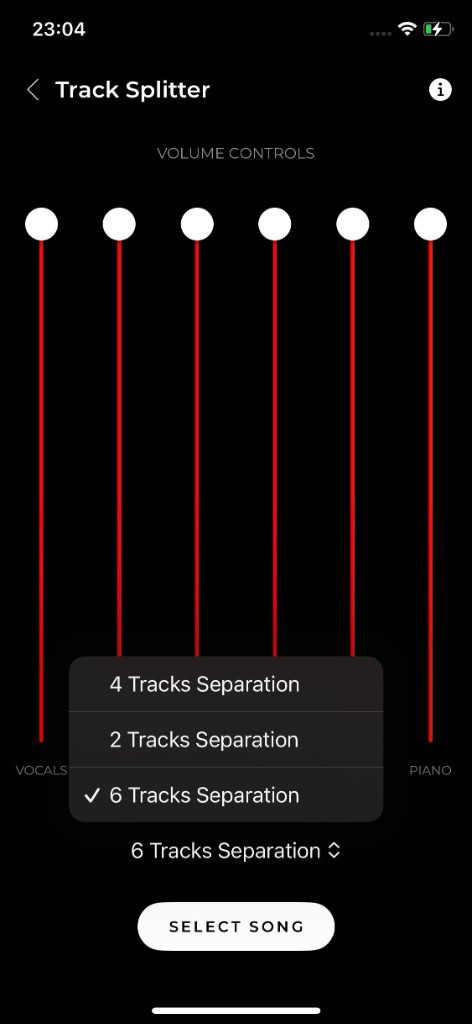
Step 3: Choose 6 Tracks Separation so the mix includes a dedicated Guitar stem. - 4
Tap "Select Song"
Tap Select Song at the bottom of the Track Splitter screen. You can pick a track already in Backtrackit or import a file from your device.
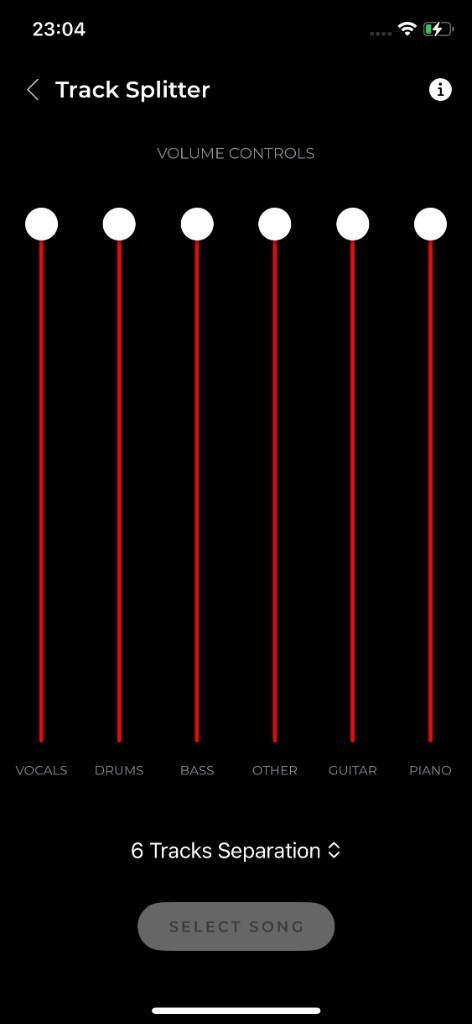
Step 4: Tap Select Song to choose the file you want to split. - 5
Allow media library access or import from files
Allow access to your media library when prompted, then pick the song from the list. If the track is not in your library, tap Import from Files and choose an audio file (MP3, WAV, M4A, and similar formats).
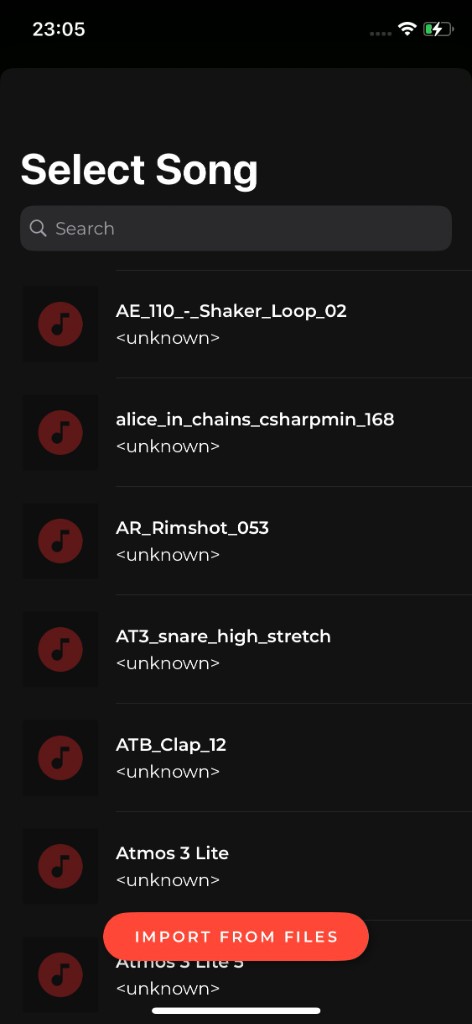
Step 5: Pick a song from your library, or tap Import from Files to use any audio file on your device. - 6
Wait for processing
Track Splitter usually finishes in about 1–2 minutes. You can leave the screen; the split tracks appear under Split Tracks in your Library when they are ready.
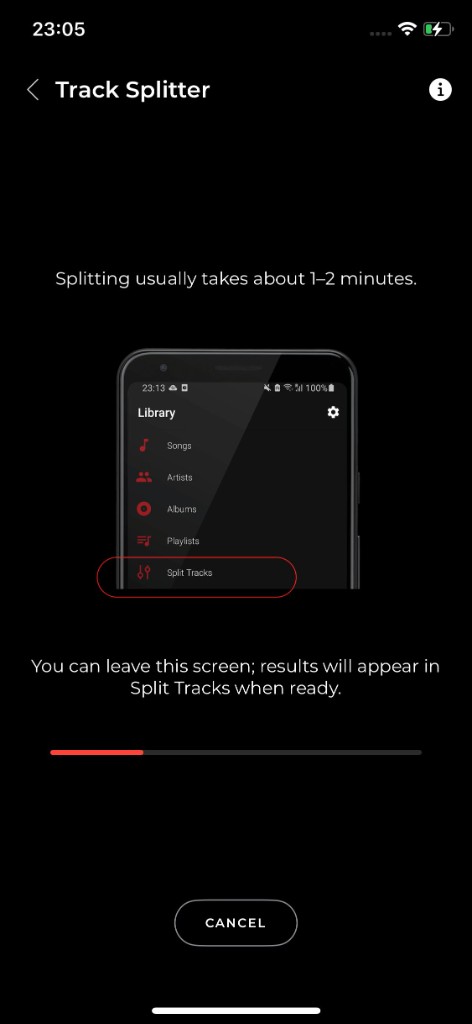
Step 6: Wait while the song is split. Results show up in Split Tracks even if you leave this screen. - 7
Mute or solo the guitar track
When processing finishes, the mixer shows six stems: Vocals, Drums, Bass, Other, Guitar, and Piano. Drag the Guitar fader down to mute it and play along with the rest of the band. To hear only the guitar part (for learning), solo or raise Guitar and lower the other faders.
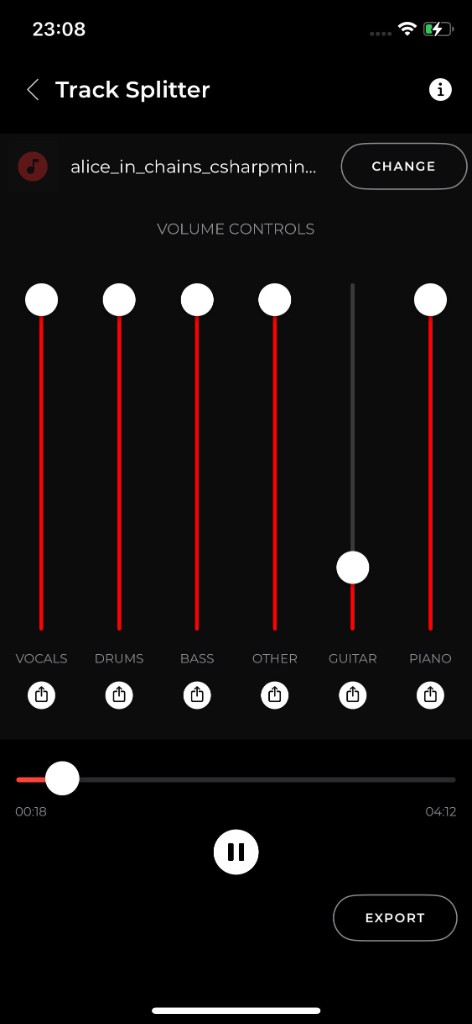
Step 7: Pull the Guitar fader down to remove guitar from the mix, or isolate it to learn the part. - 8
Export the muted mix or the guitar stem (optional)
Tap Export to save the song with guitar muted (or with any mix of faders you set). You can also use the export icon under the Guitar label to save the isolated guitar stem on its own. Name the file, then confirm Export.
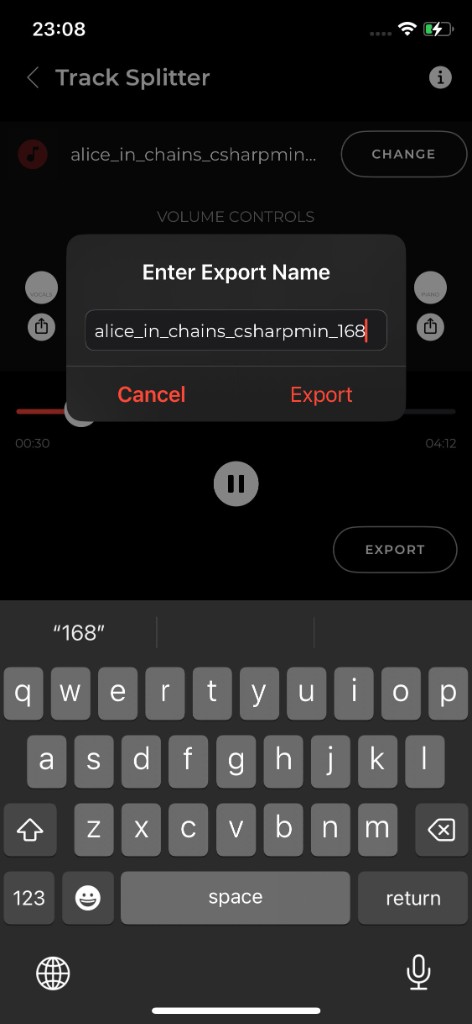
Step 8 (optional): Name the file and export the guitar-free mix, or export the guitar stem by itself.
Tips for a cleaner guitar-free mix
- Use the original file when you can. Higher-quality audio (WAV or a high-bitrate MP3) usually separates more cleanly than a heavily compressed clip.
- If some guitar remains in Other, lower Other slightly as well. Heavily layered mixes can bleed a little between stems.
- Solo the Guitar stem first to confirm the part you want, then mute it and play along with drums, bass, and vocals.
- Export the isolated guitar if you want a reference track, and export the muted mix as your backing track.
Frequently asked questions
Can I remove guitar from any song?+
Yes. Backtrackit's Track Splitter can separate guitar from most full mixes — studio recordings, live tracks, and files you import from your phone. Use 6 Tracks Separation so guitar is its own stem, then mute that fader.
What is the best way to isolate or mute a guitar track?+
Use AI stem separation rather than EQ or a karaoke filter. In Backtrackit, open Tools → Track Splitter (Stems), choose 6 Tracks Separation, split the song, then mute Guitar to play along or solo Guitar to learn the part.
Why do I need 6 Tracks Separation to remove guitar?+
6 Tracks Separation outputs Vocals, Drums, Bass, Other, Guitar, and Piano. 4-track and 2-track modes do not give guitar its own fader, so you cannot mute guitar independently.
How long does it take to remove guitar from a song?+
Splitting usually takes about 1–2 minutes. You can leave the processing screen; finished stems appear under Split Tracks in the Library.
Can I export a song with the guitar muted?+
Yes. After you mute (or mix) the Guitar fader, tap Export, name the file, and save. You can also export the isolated guitar stem from the export icon under the Guitar label.
Related guides
Remove guitar from your songs in the app
Download Backtrackit, open Track Splitter, and mute the guitar stem on any track you practice.