How to Use Fret Play to Learn the Fretboard
To use Fret Play, open Tools → Fret Play, choose your tuning, strings, and note set, and tap Start. Backtrackit shows a note and a string, listens through your microphone, plays a ding when you play the right pitch, and moves on to the next note automatically.
Quick facts
- App
- Backtrackit (iOS, Android)
- Where
- Tools tab → Fret Play
- How it works
- Real-time pitch detection through your microphone
- You choose
- Tuning, strings, note set (All, Natural, Sharps), voice prompts
- Round length
- 25 correct notes
- Needs
- Microphone permission and a guitar
- 1
Open Tools and tap Fret Play
Tap Tools in the bottom navigation, then tap Fret Play in the Practice Tools section.
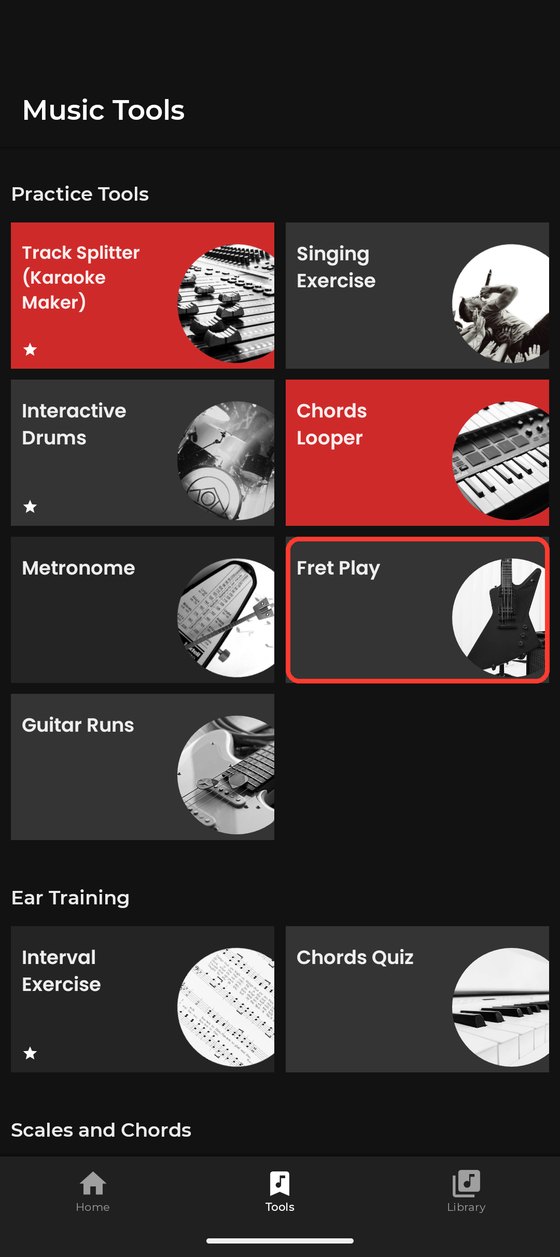
Step 1: Open the Tools tab and tap Fret Play. - 2
Choose your strings and notes
The setup screen lets you tune the drill to your level. Tap a string (6 to 1) to include it or leave it out, and keep at least one on. Under Note Set, All uses every note, Natural uses only notes without sharps or flats, and Sharps uses only the sharp notes (C#, D#, F#, G#, A#). Voice Prompts speaks the string and note aloud, and Call Strings decides whether it says the string's name (B string) or its number (2nd string).
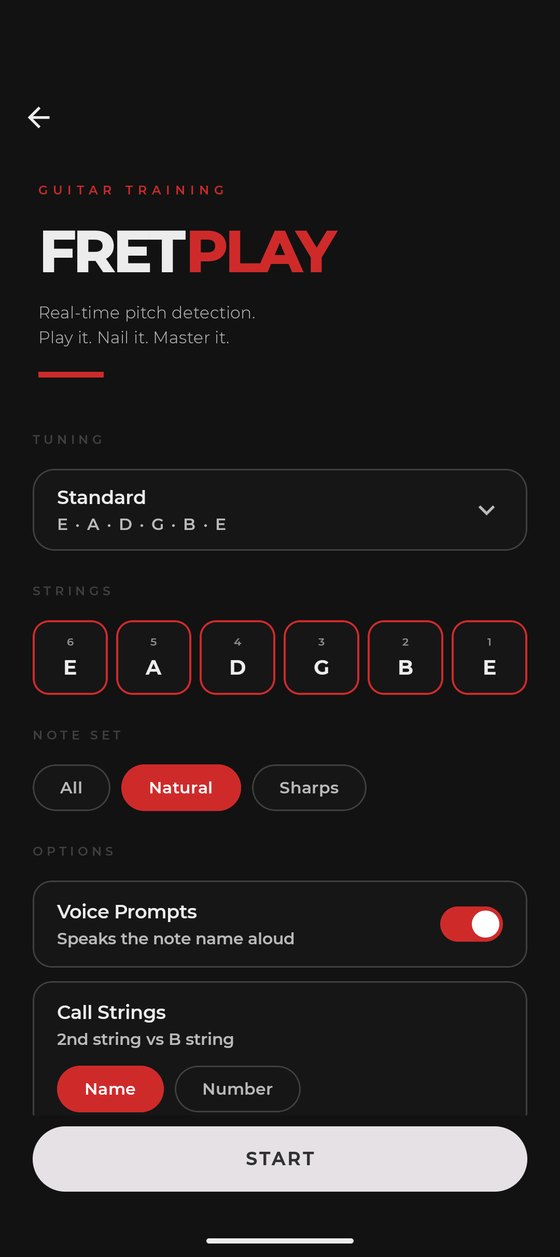
Step 2: Pick your strings and note set. Here, all six strings with natural notes. - 3
Pick your tuning
Open the Tuning menu to match your instrument. Standard is selected by default. The list also includes Drop D, D Standard, Drop C, and other down-tunings, with sections for 6-, 5-, and 4-string instruments including bass, so the notes stay correct for the way you play.
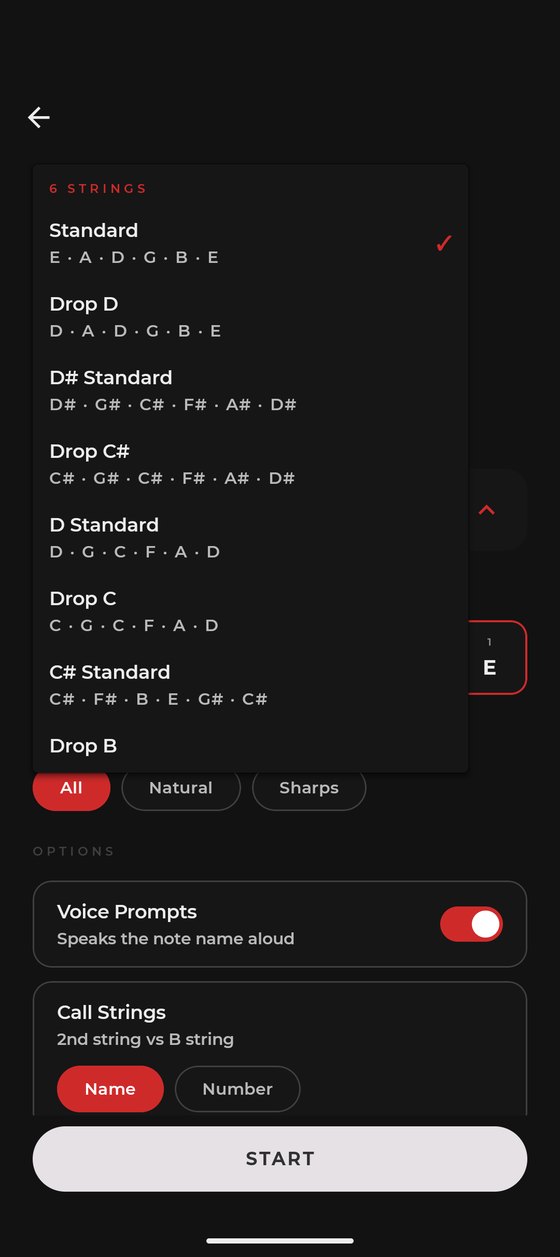
Step 3: Choose Standard or an alternate tuning. - 4
Tap Start and allow the microphone
Tap Start. The first time, Backtrackit asks for microphone access. Choose While using the app so it can listen to your guitar and detect the pitch you play.
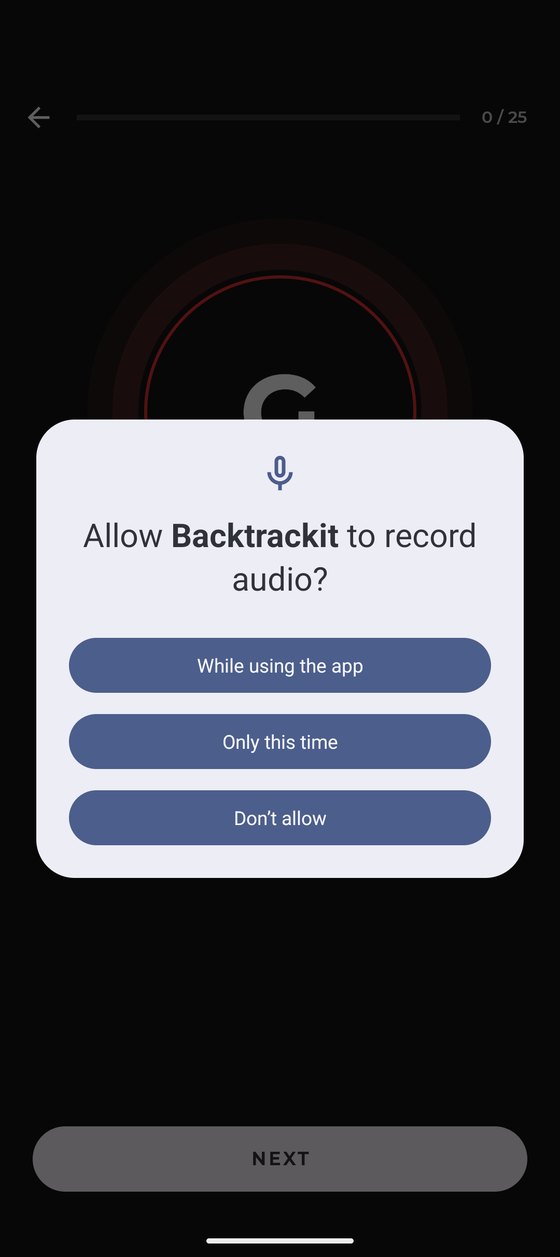
Step 4: Allow microphone access so Fret Play can hear you. - 5
Play the note on the string shown
The big circle shows the note to find, and the highlighted string number below it (with the open string name underneath) shows where to play it. Find the note on that string and play it. When Backtrackit hears the right pitch it plays a ding and moves to the next note. A wrong note shows brief wrong-note feedback instead. The counter in the top right counts your correct notes toward 25. Tap Next to skip a note.
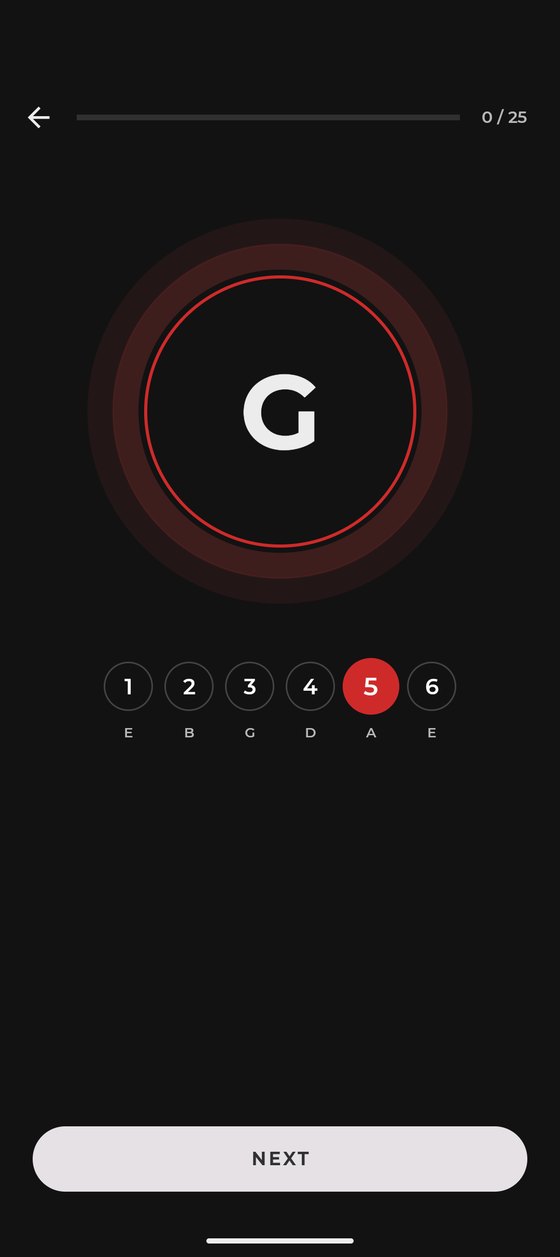
Step 5: Find G on the 5th string. The app listens and checks your pitch.
Tips to learn the fretboard faster
- Start with one or two strings and natural notes only. When you can answer without hesitating, add more strings, then switch the note set to All.
- Turn on Voice Prompts and play with your eyes on the guitar instead of the screen. Hearing the note name trains your ear and your memory together.
- Play in a quiet room, with the phone close to your guitar, and play one note at a time so the pitch detection can hear you clearly.
- Practice in short, regular sessions. A few minutes every day works better than a long session once a week.
- If you play in an alternate tuning, choose it in the Tuning menu so the notes match your strings.
Frequently asked questions
What is Fret Play?+
Fret Play is a fretboard-training tool in Backtrackit. It names a note and a string, listens to your guitar through the microphone, and confirms when you play the right note.
Do I need to plug my guitar in?+
No. Fret Play uses your phone's microphone to detect the pitch you play, so you don't need a cable or an audio interface.
Can I practice only certain strings or notes?+
Yes. On the setup screen, tap strings to include or exclude them, and choose a note set of All, Natural, or Sharps.
Does Fret Play work in drop tunings or on bass?+
Yes. The Tuning menu includes Drop D, Drop C, and other down-tunings, plus tunings for 5- and 4-string instruments including bass.
How many notes are in one round?+
A round is 25 correct notes. The counter in the top-right corner tracks your progress.
Related guides
Learn the fretboard in the app
Download Backtrackit and open Fret Play to practice every note on every string, with real-time feedback from your guitar.