How to Use Guitar Runs to Connect Notes Across the Fretboard
To use Guitar Runs, open Tools → Guitar Runs, choose your tuning, strings, key, scale, fret range, and tempo, and tap Start. Backtrackit gives you a start and an end position on the fretboard, counts you through the bars with a metronome, and you play a run in your scale that connects the two.
Quick facts
- App
- Backtrackit (iOS, Android)
- Where
- Tools tab → Guitar Runs
- What you play
- A run that connects two fret positions in your chosen scale
- You choose
- Tuning, strings, key, scale, fret range, BPM, and number of bars
- Timing
- A metronome counts you through the bars
- Round length
- 25 runs
- 1
Open Tools and tap Guitar Runs
Tap Tools in the bottom navigation, then tap Guitar Runs in the Practice Tools section.
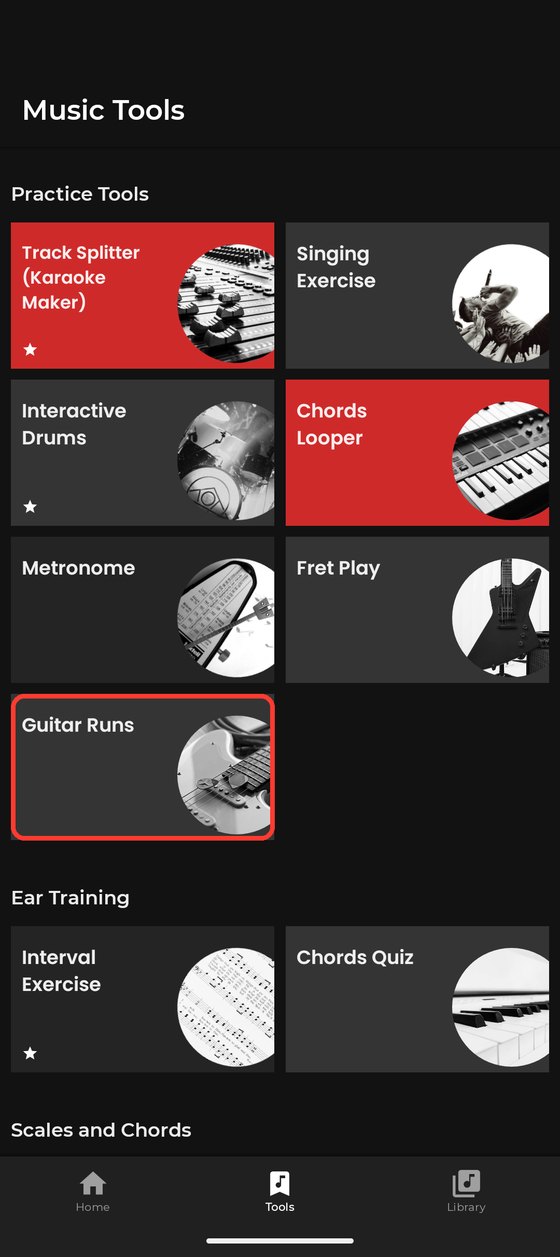
Step 1: Open the Tools tab and tap Guitar Runs. - 2
Set your tuning, strings, key, and fret range
Choose your tuning (Standard is the default) and tap the strings you want to use. Then pick a key and a scale. The start and end positions are always notes from that scale. Finally set a fret range, such as 0 to 12, to keep the run in the part of the neck you want to work on.
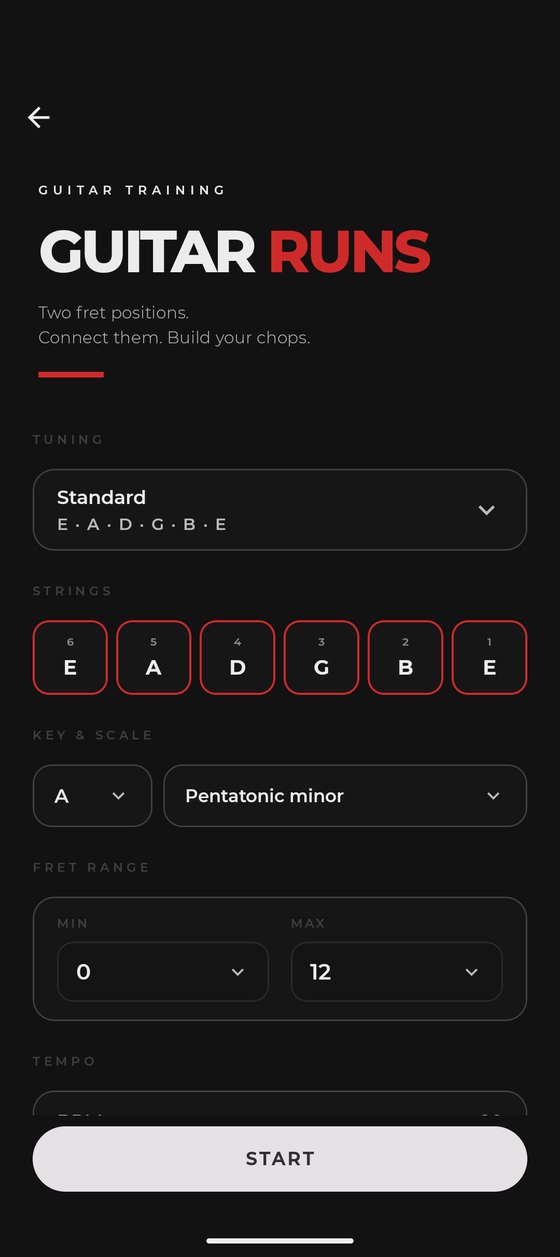
Step 2: Here, A pentatonic minor across the first 12 frets. - 3
Pick a scale
Open the scale menu to choose from major and the modes (Dorian, Phrygian, Lydian, Mixolydian, Locrian), natural and harmonic minor, major and minor pentatonic, major and minor blues, whole tone, Oriental, and chromatic. Pentatonic minor is a great place to start for rock and blues.
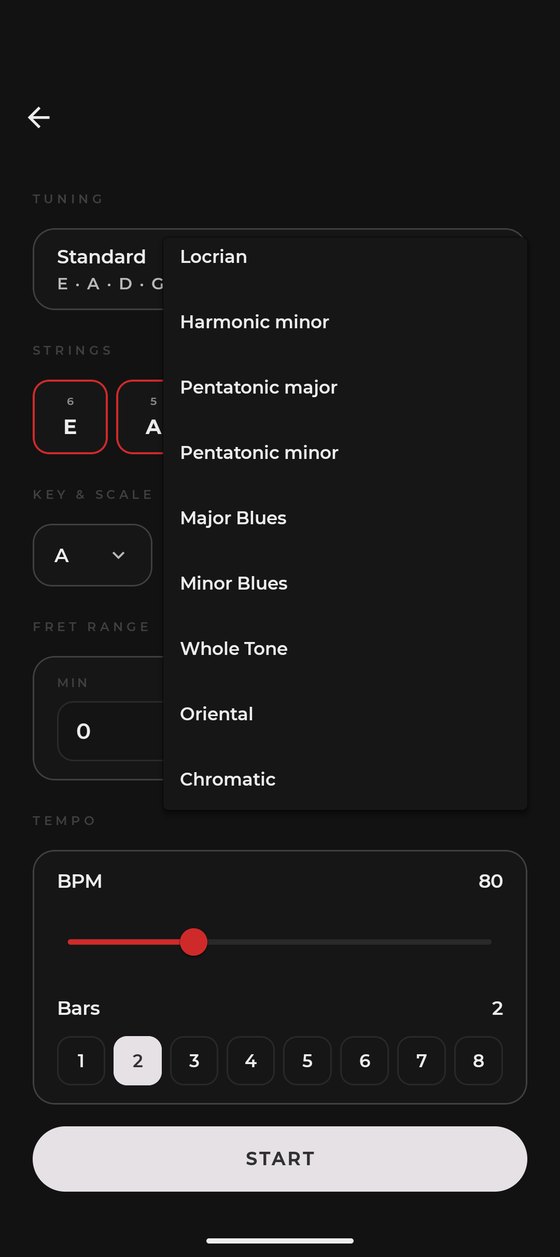
Step 3: Choose the scale your runs should stay inside. - 4
Set the tempo and number of bars, then tap Start
Scroll down to Tempo. Drag the BPM slider (80 by default) to a speed you can play comfortably, and choose how many bars you get for each run, from 1 to 8. Fewer bars means a faster run. When you're ready, tap Start.
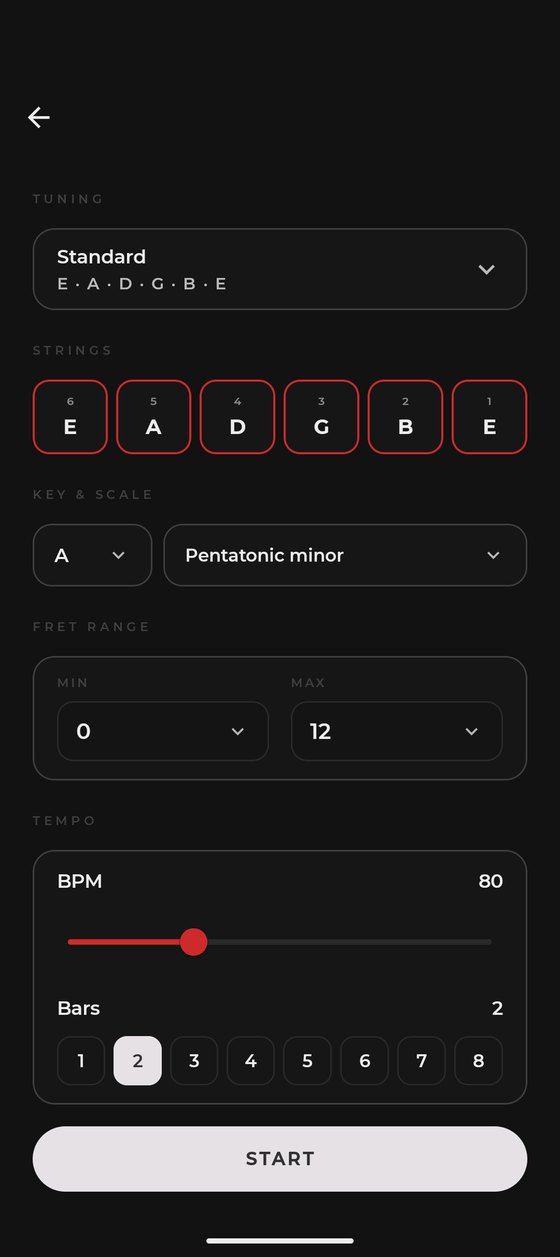
Step 4: 80 BPM with 2 bars for each run. - 5
Play the run in time
The screen shows a start position and an end position, for example the 10th fret on the 5th string to the 8th fret on the 1st string. Backtrackit announces the pair, a metronome counts you through the bars, and you play a run in your scale that starts on the first position and lands on the second. When the bars are up, you hear a ding and the next pair appears. Tap Next to skip a pair. The counter in the top right tracks your progress toward 25 runs.
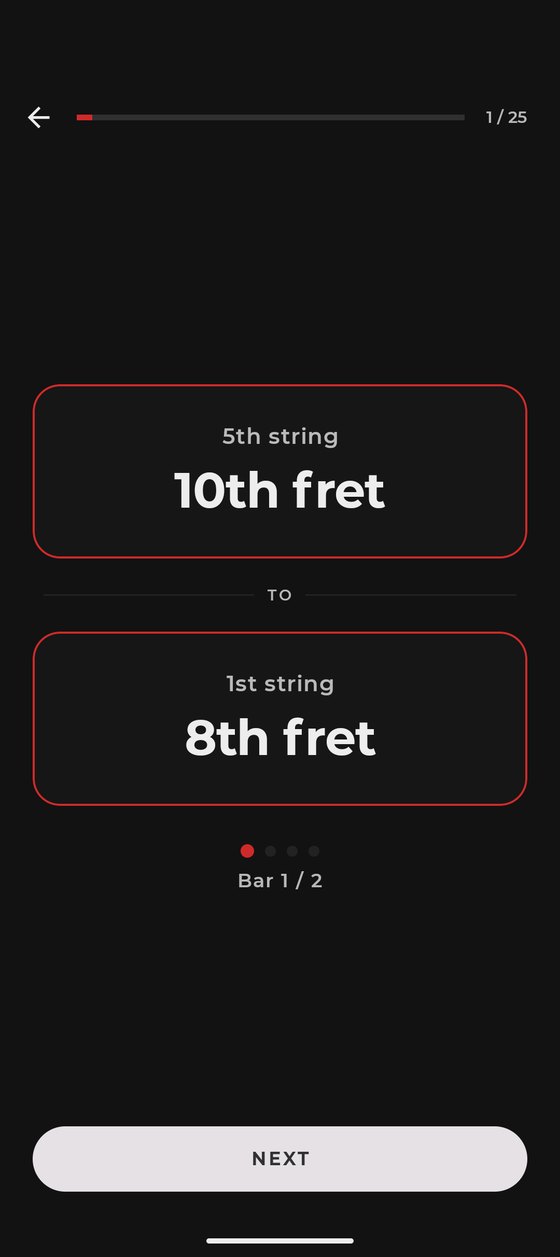
Step 5: Connect the 10th fret on string 5 to the 8th fret on string 1 before the bars run out.
Tips for getting more out of Guitar Runs
- Start slow. Choose a tempo where you can land on the end note every time, then raise the BPM in small steps.
- Begin with a narrow fret range (for example 5 to 9) so you learn one box of the scale well, then widen it to cover the whole neck.
- Give yourself more bars while learning. Two to four bars leaves time to think of a path. Drop to one bar when you want a speed challenge.
- Try the same run in different ways: with scale steps, with skips and jumps, or with a repeating pattern. There is no single right answer.
- Switch the scale to hear how the same positions feel in a different mode, such as minor pentatonic versus blues.
- Warm up with Fret Play to know where the notes are, then use Guitar Runs to start connecting them.
Frequently asked questions
What is Guitar Runs?+
Guitar Runs is a practice tool in Backtrackit that gives you a start and an end position on the fretboard, within a key and scale you choose. You play a run that connects them while a metronome counts the bars.
How is Guitar Runs different from Fret Play?+
Fret Play trains note recognition: it names a note and a string and listens for it. Guitar Runs trains navigation: you connect two positions with a run in time. They work well together.
Which scales can I practice?+
Major, natural minor, the other modes (Dorian, Phrygian, Lydian, Mixolydian, Locrian), harmonic minor, major and minor pentatonic, major and minor blues, whole tone, Oriental, and chromatic.
Can I change the speed and the time I get for each run?+
Yes. In the Tempo section, set the BPM with the slider and choose between 1 and 8 bars per run.
Can I limit the runs to part of the fretboard?+
Yes. Use the Fret Range menus to set a minimum and maximum fret, and tap strings to include or exclude them.
Related guides
Practice guitar runs in the app
Download Backtrackit and open Guitar Runs to build fretboard fluency with a different run to play every few seconds.