How to Remove Drums from Any Song
You can remove drums from any song by splitting it into separate instrument stems and muting the drum track. In Backtrackit, open Tools, tap Track Splitter, choose 4 Tracks Separation, pick your song, and drag the Drums fader down.
Quick facts
- App
- Backtrackit (iOS, Android)
- Tool
- Track Splitter
- Required mode
- 4 Tracks Separation (or 6 Tracks) for a dedicated Drums stem
- Action
- Drag the Drums fader down to mute it, or keep it up and lower the rest to isolate it
- Processing time
- About 1 to 2 minutes
- Result
- A drumless track to play drums over, practice with a click, or export
- 1
Open the Tools tab and tap Track Splitter
Open Backtrackit and tap the Tools tab in the bottom navigation. Under Practice Tools, tap Track Splitter. It's labeled Track Splitter (Stems) on iOS and Track Splitter (Karaoke Maker) on Android. This is the AI stem separator that splits a full song into its instruments.
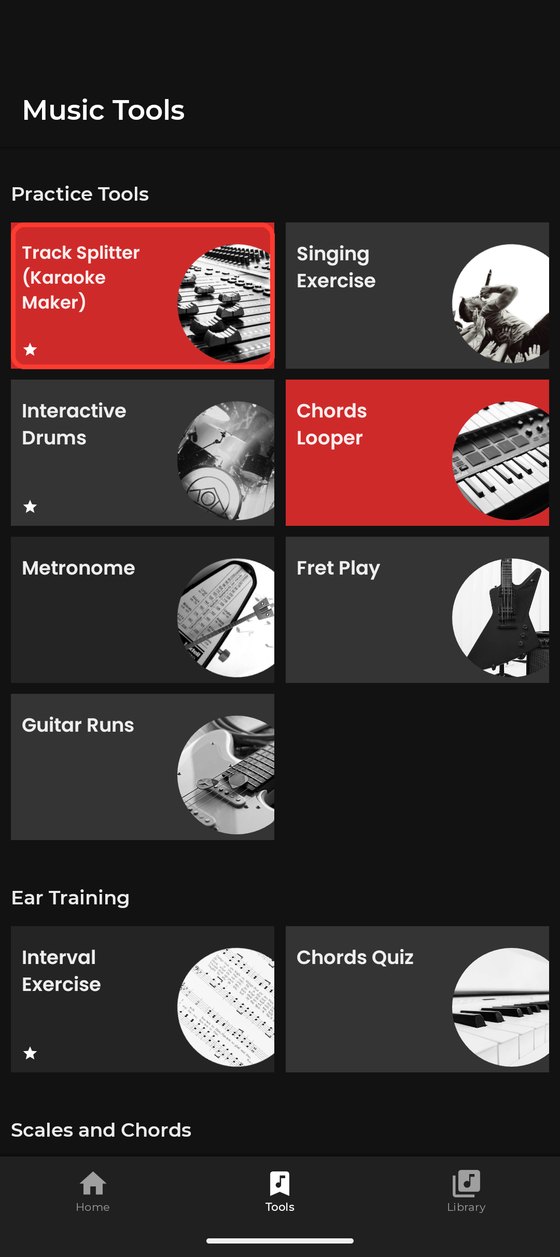
Step 1: Open Tools and tap Track Splitter. - 2
Choose "4 Tracks Separation"
On the Track Splitter screen, choose 4 Tracks Separation. 4 Tracks Separation splits the song into Vocals, Drums, Bass, and Other (everything else, such as guitars and keys). That gives the drums their own fader, so you can mute them without touching anything else. 6 Tracks Separation also works, but you don't need it just to remove the drums. 2 Tracks Separation only splits vocals from the rest, so it can't remove the drums.
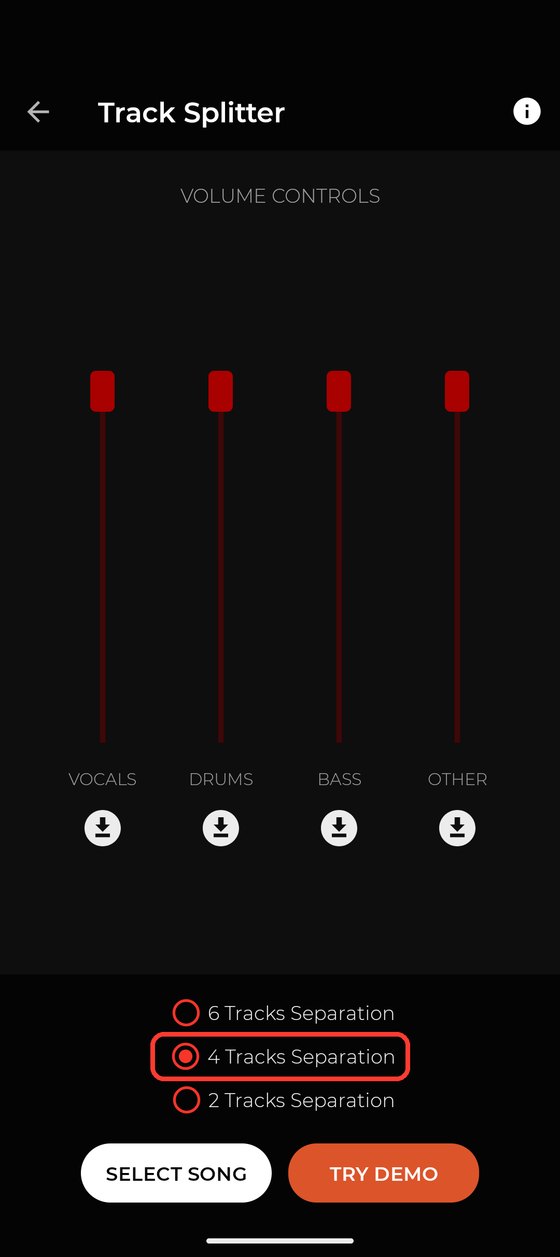
Step 2: Choose 4 Tracks Separation so the drums get their own stem. - 3
Tap "Select Song"
Tap Select Song at the bottom of the Track Splitter screen. You can pick a song that's already on your device or import an audio file.
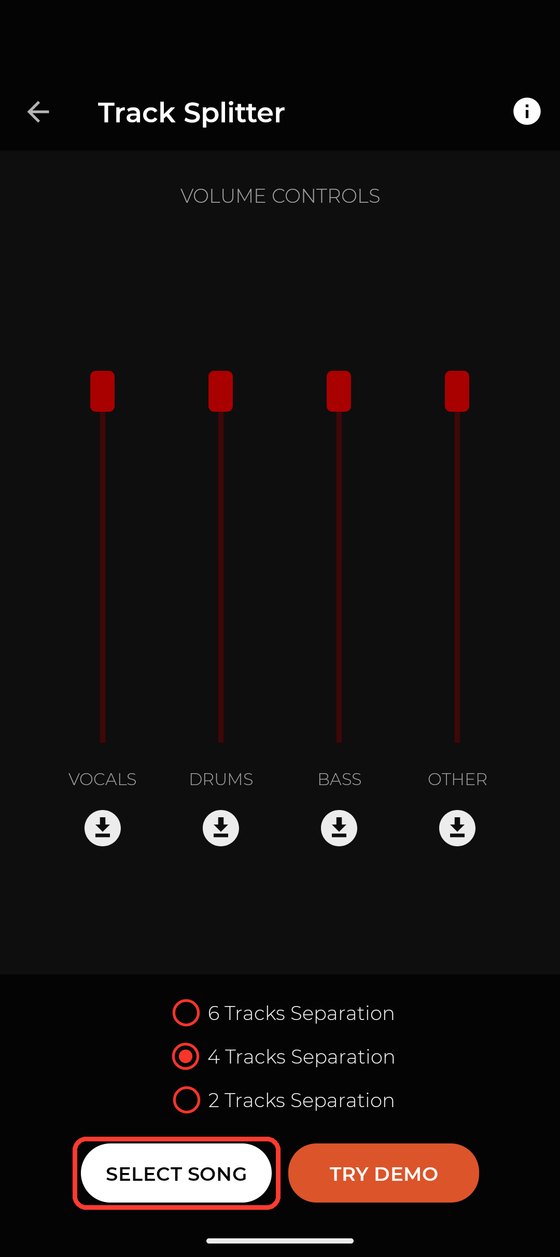
Step 3: Tap Select Song to choose the song you want to split. - 4
Pick the song, or import a file
Choose the song from the list. To see your own music here, Backtrackit needs permission to access the music and audio on your device. Tap Allow when prompted so your tracks can be scanned. If the song isn't in your library, tap Import from Files and pick an audio file such as an MP3, WAV, or M4A.
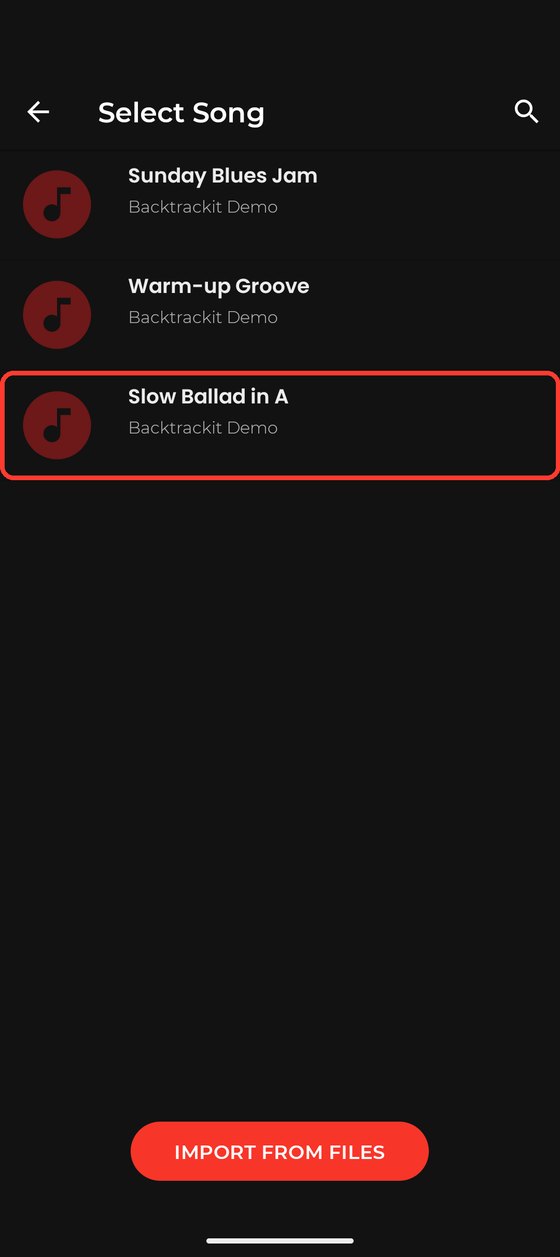
Step 4: Pick a song from your library, or tap Import from Files. - 5
Wait for processing
Splitting usually takes 1 to 2 minutes. You can leave the screen while it works. When the split is done, you'll get a notification, and the result is saved under Split Tracks in your Library so you can come back to it any time.
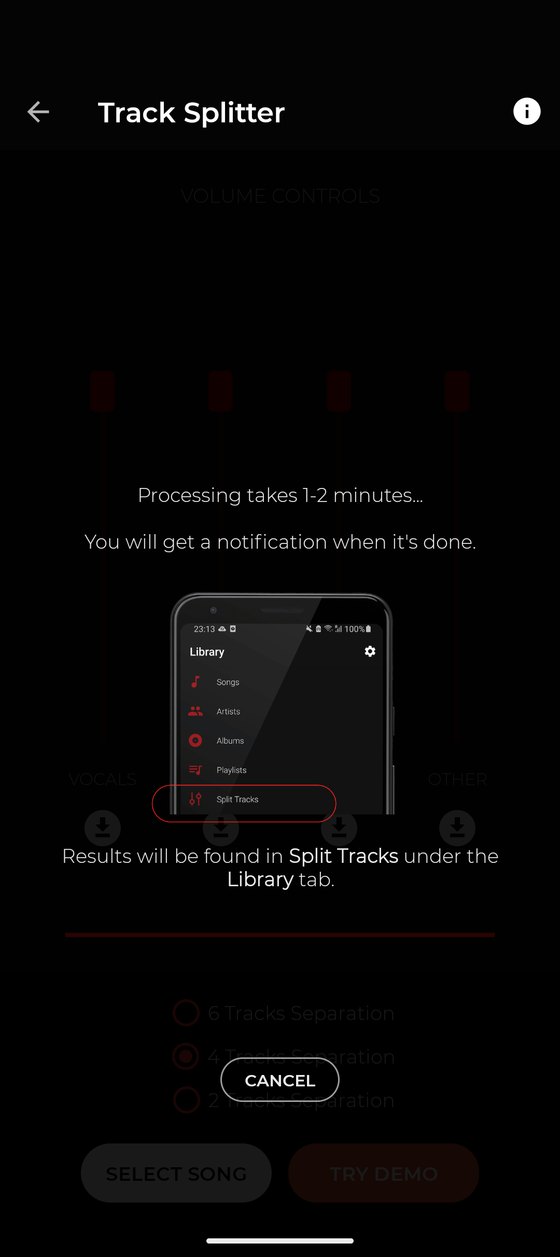
Step 5: Wait while the song is split. Results are saved in Split Tracks. - 6
Mute the Drums track
When processing finishes, the mixer shows four faders: Vocals, Drums, Bass, and Other. Press play, then drag the Drums fader all the way down. The drums drop out and the rest of the band keeps playing. To study the groove instead, raise Drums and pull the other faders down so you hear the drum part on its own.
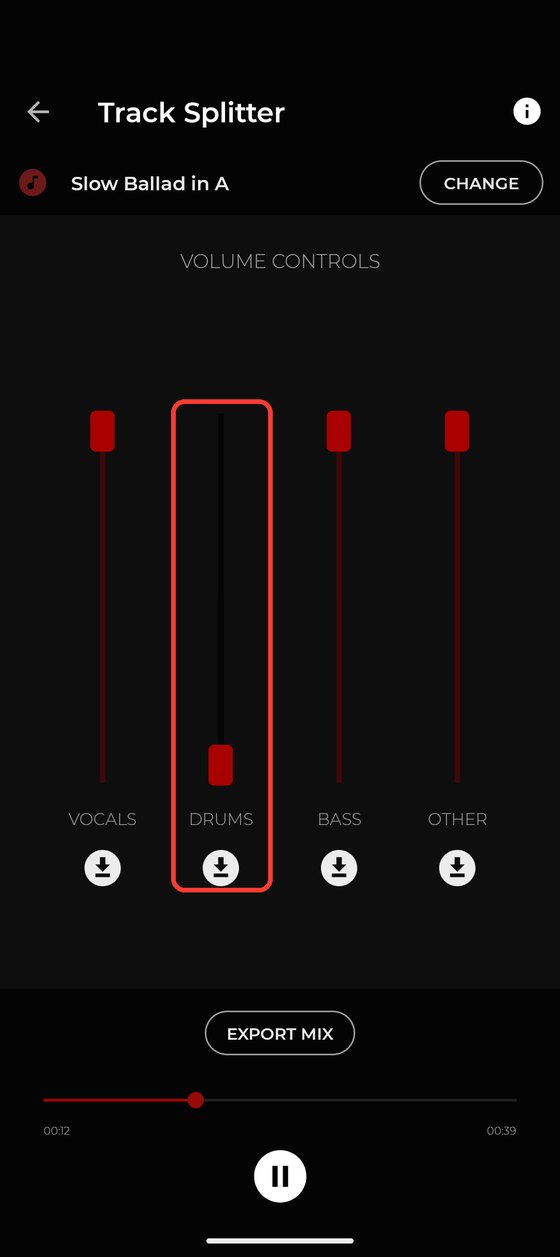
Step 6: Pull the Drums fader down to remove the drums from the mix. - 7
Export the drumless mix or the drum stem (optional)
Tap Export Mix to save the song with your fader settings, so muted drums are baked in. Backtrackit exports it as an audio file. You can also tap the download icon under the Drums label to save the isolated drum stem on its own.
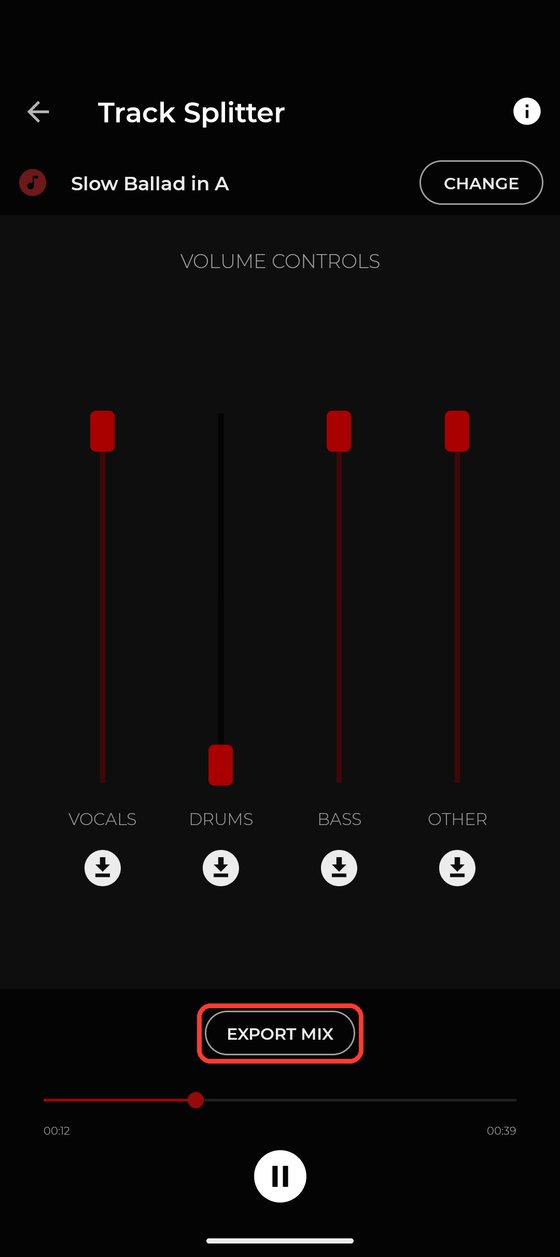
Step 7 (optional): Tap Export Mix to save the song without the drums.
Tips for removing drums from a song
- If you want a steady pulse while the drums are muted, turn on the Metronome from the Tools tab and set it to the song's tempo.
- Mute the drums, then play the part yourself. It's a great way to check whether you can really match the original feel.
- Isolate the drums (raise Drums, lower the rest) when you want to hear fills and ghost notes clearly before you try to copy them.
- Listen on headphones first. Stem separation is AI-based, so you may hear a faint trace of cymbals or the kick in busy mixes.
- In 4 Tracks mode, guitars, keys, and percussion-like synths sit in the Other fader. If you only want the drum kit, Drums is the right stem.
Frequently asked questions
Can I remove drums from any song?+
Yes. Backtrackit's Track Splitter can separate the drums from most full mixes: studio recordings, live tracks, and files you import from your phone. Use 4 Tracks Separation so the drums are their own stem, then mute that fader.
What is the best way to remove or isolate a drum track?+
Use AI stem separation rather than an EQ or a filter. An EQ can't separate a snare or a kick from the bass and guitars that share the same frequencies. In Backtrackit, open Tools, tap Track Splitter, choose 4 Tracks Separation, split the song, then mute Drums to play along or raise Drums and lower the rest to learn the part.
Which separation mode do I need to remove the drums?+
4 Tracks Separation or 6 Tracks Separation. Both output a dedicated Drums stem. 2 Tracks Separation only separates vocals from the accompaniment, so the drums stay in the backing mix. 4 Tracks is enough for drums, so you don't need 6.
How long does it take to remove the drums from a song?+
Splitting usually takes about 1 to 2 minutes. You can leave the processing screen, and the finished stems appear under Split Tracks in the Library.
Can I export a song without the drums?+
Yes. After you pull the Drums fader down, tap Export Mix and save the file. You can also export the isolated drum stem with the download icon under the Drums label.
Why don't I see my songs when I tap Select Song?+
Backtrackit needs permission to access music and audio on your device so it can scan your tracks. Allow it when prompted, or enable it in your phone's Settings. You can also tap Import from Files to choose an audio file directly.
Related guides
Remove the drums from your favorite songs
Download Backtrackit, split any song into stems, and play your own drums over the band.